AI transcription and subtitle generator for Android and web
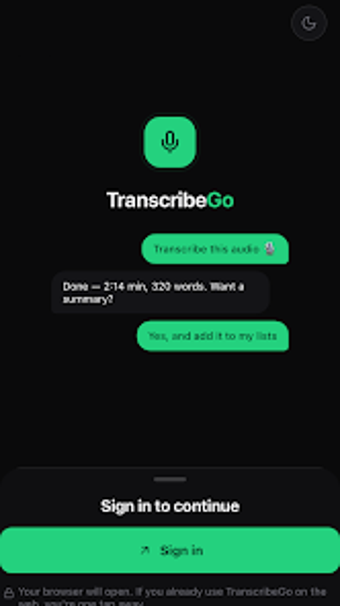
TranscribeGo, developed by TranscribeGo, converts speech from audio and video into searchable text for productivity workflows. The app transcribes uploaded files, social media links, and voice notes using an AI engine that supports over 90 languages and regional accents. It also offers speaker identification, AI summaries, and SRT subtitle export to assist editors and researchers. Professionals, students, and content creators gain faster documentation and subtitle production without manual timecoding or language switching.
What does the app actually do when you feed it audio or video?
The app accepts local audio/video files and remote URLs, then runs an AI speech-to-text pass to produce editable transcripts. Supported input formats include MP3, WAV, M4A, OGG, MP4, and WEBM, and links from sites such as YouTube, TikTok, and Instagram are processed without requiring a prior download. The result is a text file plus optional export formats, including TXT, PDF, and SRT for subtitle workflows.
Does transcription affect device performance or require desktop resources?
On Android devices the app processes uploads and remote links rather than forcing prolonged local CPU use; heavy lifting is handled by the AI backend accessed over the network. This design reduces sustained CPU and RAM demands on the device during transcription, and it enables longer recordings and multi-language processing without a large local resource footprint on the phone.
Is the app safe to use with sensitive recordings and messaging apps?
The app integrates with WhatsApp and Telegram through dedicated bots that accept forwarded voice notes, which changes the data path from local-only to a networked service. It performs automated speaker identification and AI analysis after files reach the service, so users should treat transcriptions as processed in the cloud rather than exclusively on-device. The tool documents outputs in standard formats for offline review.
Do non-technical users need special knowledge to operate the app?
The app provides an in-app text editor for quick corrections, automated summarization to surface key points, and a single workflow for exporting SRT subtitles; these features let journalists and students complete common tasks without scripting. Advanced users can still refine speaker labels and formatting manually. The integration options with messaging platforms reduce setup steps for mobile-first users who forward audio directly to the bot.
The app suits mobile-first professionals who need quick, editable transcripts.
The app is a practical option for journalists, researchers, and content creators who must convert recordings and social links into usable text and subtitles. It relies on network processing, so plan uploads or forwarding during stable connectivity and use the in-app editor to correct AI errors before exporting. Recommended.